
*This post contains affiliate links. If you use these links to buy something we may earn a commission at no extra cost to you.
We have all lived through this exact, panic-inducing home office moment. It is the middle of July. Your home office is sweltering. You turn a cheap, plastic box fan toward your face just to survive the afternoon heat.
Suddenly, your boss calls you on Zoom. You hit the “Unmute” button to answer a question, and instantly, everyone on the video call recoils. Your cheap fan sounds like a Category 5 hurricane blasting directly into your microphone. You are forced to turn the fan off, sit in the sweltering heat, and sweat through your shirt for the rest of the meeting.
When you work from home, auditory hygiene is just as important as visual hygiene. Standard desk fans use cheap, alternating-current (AC) motors and flat plastic blades that “chop” the air, creating a massive amount of high-frequency wind shear noise. This sharp, hissing sound bleeds perfectly into podcast microphones and webcam audio.
I have spent years building the ultimate quiet workspace. By upgrading to fans that utilize deep-pitch aerodynamics and brushless motors, you can maintain a cool, steady breeze without sacrificing your professional audio. Here are the absolute best quiet desk fans that will keep you cool and completely silent on your next video call.
The Science of Silence: Why Most Fans Are Loud
To buy a quiet fan, you have to understand exactly where the noise comes from. A loud fan is suffering from two distinct physical failures: Motor Hum and Wind Shear.
First, let’s look at the motor. 90% of cheap desk fans use standard AC (Alternating Current) motors. Because AC power fluctuates 60 times a second, it creates a magnetic vibration inside the motor casing. This results in a persistent, low-frequency electrical buzzing sound. If your home office is perfectly quiet, this electrical buzzing becomes incredibly distracting. As we detailed in our guide on the health effects of noise pollution, persistent, low-grade mechanical hums elevate your cortisol levels and drain your cognitive focus.
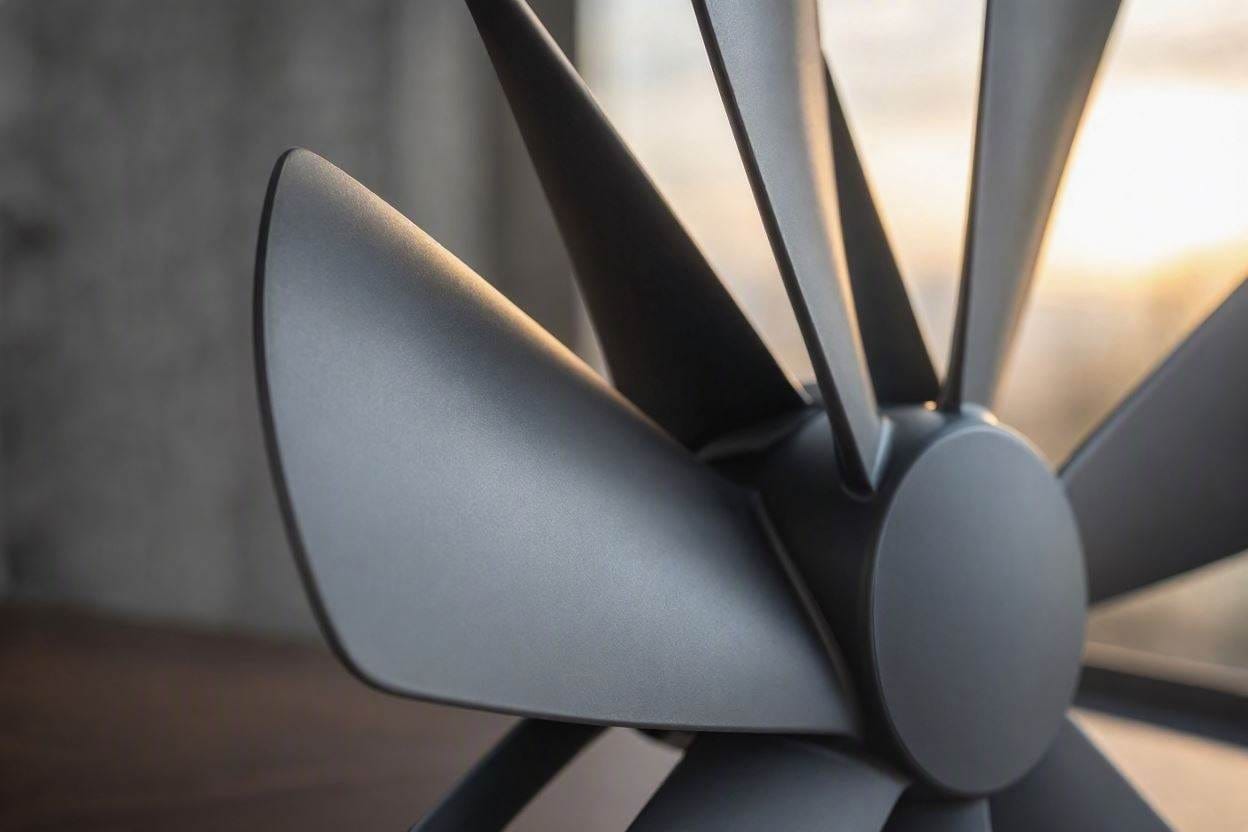
Second, we have wind shear. Look at the blades of a cheap fan. They are usually flat pieces of stiff plastic. When the motor spins, these flat blades violently “smack” and “chop” the air, causing microscopic air turbulence. That turbulence hits your ears (and your microphone) as a harsh, hissing noise.
The premium fans on this list solve these problems by using DC (Direct Current) motors (which operate with frictionless magnets) and deep-pitch aerodynamic blades (which slice through the air smoothly, moving a massive column of air at a much lower, quieter RPM).
1. Woozoo Globe Personal Fan (Best Overall)
If you have ever shopped at Costco, you have probably seen the Woozoo fan. It went completely viral a few years ago, and for once, the hype is entirely justified. This is the absolute gold standard for a quiet home office desk.
Instead of a standard flat grill, the Woozoo uses a globe-shaped housing and deeply scooped, aerodynamic blades. Because the blades are so aggressively curved, they grab a massive amount of air and push it forward in a tight, focused spiral. Because it is so aerodynamically efficient, you can run this fan on its lowest setting and feel a perfect breeze across your desk while it operates at a virtually inaudible 25 decibels.
To see exactly how quiet 25 decibels is, check our master chart in the guide to home decibel levels. It is quieter than a person whispering, making it completely invisible to your Zoom microphone.
The Pros
- Aerodynamic globe design completely eliminates harsh wind hissing.
- Multi-directional oscillation (up/down and left/right).
- Included remote control allows you to adjust it during a meeting.
The Cons
- The spherical design makes it slightly bulkier than flat fans.
- It can be notoriously hard to find in stock during the summer.
2. Vornado Energy Smart Personal Fan (The Premium DC Pick)
If you have read our roundup of the best quiet ceiling fans, you know how crucial motor technology is. Vornado applied high-end ceiling fan tech to a tiny desk fan by utilizing a brushless DC (Direct Current) motor.
This completely eliminates the low-frequency electrical buzzing found in cheaper fans. Because the motor is so efficient, it uses up to 80% less energy and produces virtually zero mechanical friction. Vornado’s signature “Vortex Action” creates a beam of air that bounces off the wall, circulating the entire room rather than just blowing a harsh gust directly into your eyes.
It also features a variable speed dial (rather than strict 1-2-3 buttons), allowing you to dial in the exact ratio of cooling power to silence.
The Pros
- Brushless DC motor guarantees zero electrical humming.
- Variable speed dial for precise acoustic control.
- Backed by Vornado’s legendary 10-year satisfaction guarantee.
The Cons
- Significantly more expensive than basic AC motor fans.
- The industrial aesthetic isn’t for everyone.
3. SmartDevil Small Desk Fan (The Best Budget USB Pick)
If you don’t have an extra electrical outlet near your desk and just need a tiny, highly portable fan to keep the air moving around your keyboard, the SmartDevil USB fan is a massive hidden gem on Amazon.
You plug it directly into the USB port of your laptop or docking station. Despite being incredibly cheap, it is surprisingly stealthy. It uses an incredibly lightweight 5-blade design that spins with very little resistance. Because it runs on low 5V USB power, the motor simply doesn’t have the electrical brute force to generate loud, booming vibrations.
It is the perfect companion if you want a subtle breeze without taking up half of your desk space.
The Pros
- Incredibly cheap and compact (perfect for small desks).
- USB powered; doesn’t require a dedicated wall outlet.
- Soft, soothing “pink noise” hum on its lowest setting.
The Cons
- Lacks the raw cooling power of the larger Woozoo or Vornado.
- No built-in oscillation feature.
The Mousepad Hack: Stopping Desk Vibrations
Even if you buy a completely silent fan, you might turn it on and hear a deep, rumbling noise. This is rarely the fan’s fault. It is caused by Impact Noise.
When you place a motorized appliance directly onto a hard wooden or hollow IKEA desk, the microscopic vibrations from the motor transfer directly into the wood. The hollow wood of the desk acts exactly like the body of an acoustic guitar, amplifying the vibration into a loud, audible hum. This is known in physics as structural resonance.
To fix this, you must apply the principle of structural decoupling (a concept we detail heavily in our Four Principles of Soundproofing guide). You must break the physical bridge between the fan and the desk.
The Fix: Take a thick, neoprene mousepad (or a folded microfiber cloth) and place it directly underneath the base of your desk fan. The soft, dense material acts as an acoustic shock absorber. It will trap the kinetic vibration of the motor before it can enter the wood, instantly silencing the structural rumbling.
Frequently Asked Questions (FAQ)
Will a Desk Fan Mess Up My Microphone Audio on a Video Call?
If you use a cheap, loud fan, yes. Microphones are highly sensitive to “wind shear” (the hissing sound of air turbulence). To prevent this, always place your desk fan behind your microphone (so the wind isn’t blowing directly into the mic capsule) and angle it slightly toward your chest rather than your face. If you are serious about clean audio, pairing a quiet fan with a silent mechanical keyboard will ensure your Zoom audio is pristine.
Why Does My Desk Fan Click When it Oscillates?
If your fan makes a clicking or grinding noise only when moving side-to-side, the internal oscillation gears are stripping. This happens when the fan is forced or bumped while moving. Unfortunately, internal plastic gears cannot easily be lubricated or repaired. It is usually best to keep the fan stationary or upgrade to a higher-quality unit.
Are Bladeless Fans actually Quieter?
Not necessarily. Bladeless fans (like the famous Dyson models) still have fan blades; they are just hidden inside the base of the unit. While they look sleek and produce a very smooth stream of air, the internal high-speed impeller can actually produce a high-pitched whine that some people find more annoying than the low hum of a traditional bladed fan.

Ememobong is the lead researcher and editor at Quiet Dwelling. As a professional technical writer, he specializes in breaking down complex acoustic engineering concepts into simple, actionable steps. His goal is to help people build distraction-free environments for better sleep and deep work.