
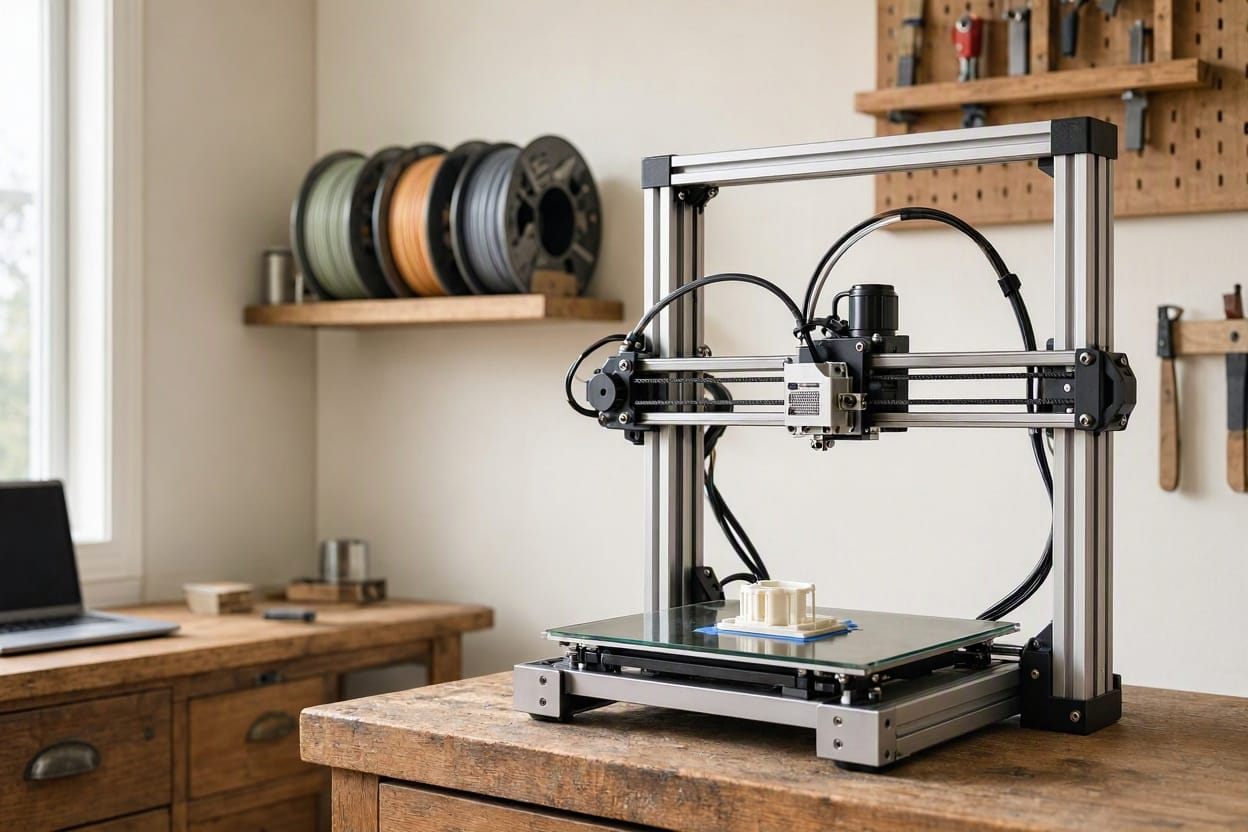
Almost everyone who buys a 3D printer goes through the same sequence. You unbox it, you read that it runs at some impressively low decibel figure, you set it up on a desk, and you start your first print.
And then you discover that the number on the box described a different machine than the one you now own. Because a 3D printer does not produce one sound — it produces several, from several different mechanisms, and they arrive in a pattern that is far more irritating than the raw volume suggests.
The good news is that 3D printer noise is unusually well understood, because every source has a clear mechanical cause. Once you identify which one dominates, the fix is usually straightforward and often cheap.
Why Printers Sound Worse Than Their Rating
Three factors make a printer more disruptive than its decibel rating implies.
It is a pattern, not a tone. The tool head moves in straight lines back and forth, changing direction constantly. Each direction change produces a transient — a small click, chirp or thunk as a stepper motor accelerates and reverses. This is why a printer is so much more annoying than, say, a fan at the same measured level. Steady sound becomes background; rhythmic transients stay in your attention. The same principle explains why a dripping tap keeps you awake when a continuous hum does not.
It runs for hours, not minutes. A long print can take ten hours or more, meaning the noise is not an interruption you can wait out. It is the soundtrack to your evening and your night.
It sits on a resonant surface. Most people put a printer on a desk, a shelf or a table. Those surfaces are large, stiff and light — exactly the properties that make a good sound radiator. The printer vibrates, the furniture amplifies, and the whole assembly becomes far louder than the printer alone.
That last point is the one people underestimate. The vibration path matters more than the motor, which is the same decoupling principle we cover in the 4 principles of soundproofing, and Green Glue soundproofing explains the damping half — converting vibration into a small amount of heat instead of letting it travel.
The health logic behind solving this rather than tolerating it is well documented — the World Health Organization identifies sleep disturbance as one of the established effects of chronic noise exposure, alongside cardiovascular and cognitive impacts. World Health Organization
The Four Sources Of 3D Printer Noise
Diagnose by sound. Each one has a different fix.
1. The stepper motors — the whine and the warble
Stepper motors produce the characteristic electronic whine that defines 3D printing to anyone who has heard it. Unlike a simple spinning motor, a stepper moves in discrete steps, and it is commanded thousands of times a second. That stepping creates a tonal, warbling sound that rises and falls as the print progresses — the “singing” that some printers do loudly and others barely at all.
Two factors determine how loud it is. The first is the printer’s motor driver and firmware, which control how smoothly the motor is driven — this is why the same physical motor can be quiet on one machine and loud on another. The second is the frame: a rigid metal frame with the motors bolted directly to it transmits their vibration straight into the chassis, which then radiates it.
This is structure-borne noise, and it is the reason isolation matters more than anything else you can do. It is the same pathway that makes a heat pump audible through a wall — see how to block low frequency noise for why bass and vibration behave so differently from airborne sound.
2. The fans — the constant roar
Every printer has multiple fans. There is usually a hotend fan, a part-cooling fan, a mainboard fan and a power supply fan. Together they produce a continuous rushing noise, and the smaller they are, the faster they spin and the more whistle or whine they add.
Fan noise is mostly airborne, which makes it far easier to address than motor vibration. The most common causes of excessive fan noise are worn bearings, dusty blades, obstructed intakes, or simply cheap stock fans that will never be quiet.
Fan noise is also the source most responsive to enclosure — because a box around your printer stops airborne sound effectively. It does much less for motor vibration, which is the important distinction.
3. The frame and belts — the resonance
The frame is where every vibration in the machine eventually ends up, and rigid frames with large flat panels behave like the body of an instrument. Add belt tension that is too tight or too loose, and you get rattle, buzz and the occasional shudder as the belts pass over their pulleys.
This is where the customer-facing problem lives: the printer is doing its job correctly, but the box it is built in is amplifying it. Panels that can flex will flex, and flexing panels make sound.
4. The surface beneath it — the drum
The single most overlooked source. A printer on a hollow desk, a lightweight shelf, a glass table or a plastic storage box transmits vibration into a large, stiff, resonant panel — and the result can be dramatically louder than the machine itself.
This is also why the noise travels. A printer on a wooden floor on an upper level sends its vibration into the structure, and it is audible elsewhere in the building — the same mechanism we break down in what is flanking noise.
What Usually Does Not Work
- Putting the printer on a towel or a foam mat. Soft materials compress under the machine’s weight, let it rock, and can actually increase the vibration transmitted through the bed. Isolation requires a firm, dense material rated for the load, not a soft one.
- Buying quieter fans alone. Fans are usually the easier source to fix, but they are rarely the dominant one. If your complaint is the characteristic stepper whine or a resonant buzz from the desk, new fans change nothing.
- Turning the printer speed down. Slower printing reduces motor acceleration transients somewhat, but it dramatically lengthens the print, so you trade a shorter loud noise for a longer slightly-quieter one. Not usually a win.
- Piling items on top of the printer. Mass on the frame is not a fix; it can dampen some resonance, but it also adds to what the motors must move, can affect print quality, and is unsafe on a moving machine.
- Wrapping the printer in a blanket. This is a genuine fire risk. Heaters, motion and enclosed power electronics do not belong under fabric. Never do this.
The Best Order To Fix 3D Printer Noise
Work down. The first two steps are cheap and solve most real complaints.
Step 1 — Isolate it from the surface
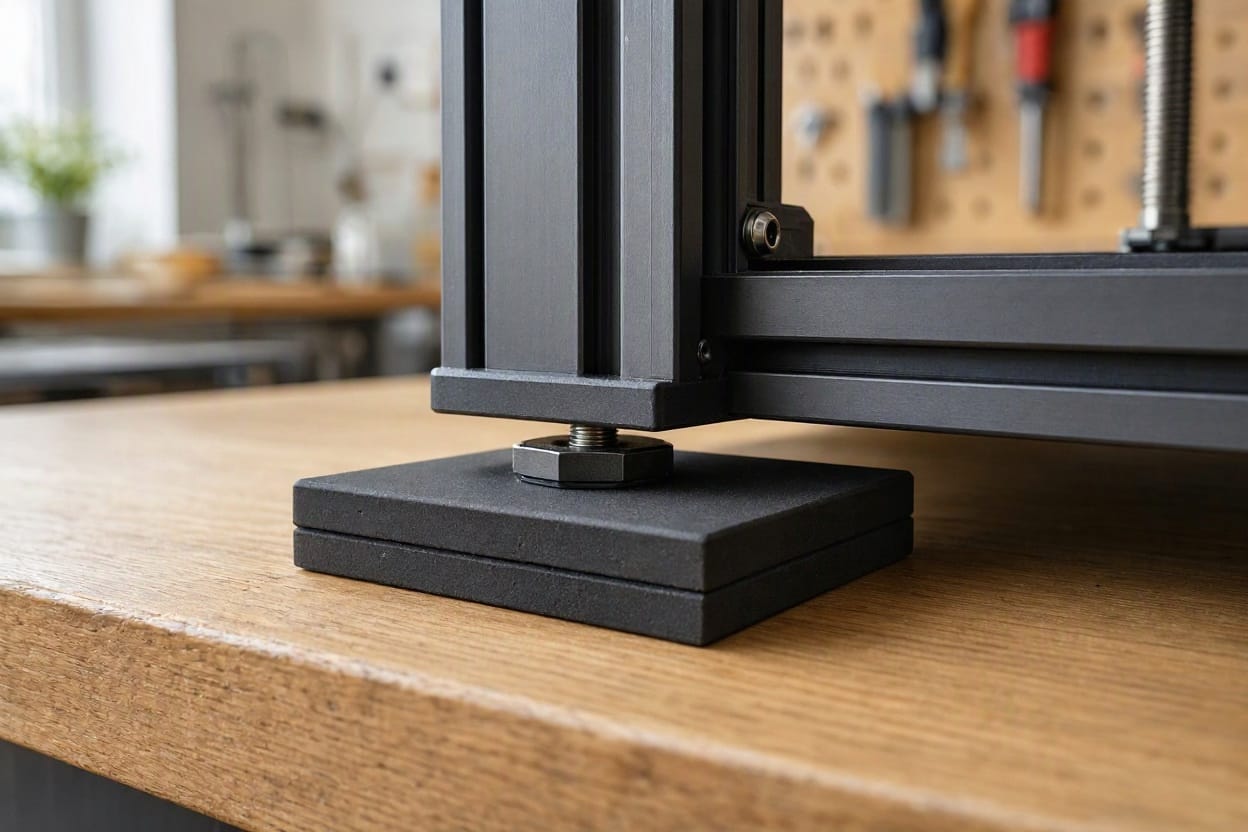
The highest-value fix, and the one that addresses the desk-as-drum problem directly. Put the printer on a firm, dense pad or purpose-made anti-vibration feet rated for the machine’s weight — not foam, not a towel.
A paving slab or concrete paver under the printer is a traditional and genuinely effective trick in the community: the extra mass makes the whole assembly much harder to set into motion, and the printer’s own feet provide some compliance. Combine mass with isolation and you have the classic decoupling-plus-mass approach.
If the printer sits on a wooden floor above a habitable room, this is the step that matters most — you are stopping the vibration before it ever reaches the structure.
Step 2 — Deal with the surface itself
The printer should not sit on a hollow desk or a lightweight shelf. Beyond the pad, consider what the surface is made of and how it is supported. A solid workbench with braced legs is a very different acoustic environment from a flat-pack desk with a hollow core.
Test this cheaply: move the printer to a solid floor for one print and listen from the same spot. If the noise drops dramatically, the desk was the amplifier, and no printer modification will beat fixing the furniture.
Step 3 — Tighten and damp the frame
- Check every bolt. Loose fasteners on a vibrating machine produce rattle. This is free and often surprisingly effective.
- Set belt tension correctly. Too loose and the belts slap; too tight and they load the motors and bearings and increase whine. Follow the manufacturer’s tension guidance rather than going by feel.
- Damp the panels. If the frame has large flat side or back panels that flex, adding damping material to their inner faces reduces how much they radiate. This is the viscoelastic principle again — converting panel vibration into heat rather than sound.
- Check that nothing touches. Cables resting on the frame, a spool holder vibrating against a wall, a tool box touching the chassis — all produce buzz that people misdiagnose as motor noise.
Step 4 — Address the fans
Once the structural noise is controlled, the fans become worth attention.
- Clean them. Dust on blades and clogged intakes make fans strain and add turbulence.
- Check for bearing wear. A fan that has become rough, clicking or screeching needs replacing.
- Replace stock fans with quieter ones. This is a well-established upgrade, and the biggest gains come from the power supply and mainboard fans.
- Consider fan behaviour in firmware. Many printers allow fan speeds to be tuned; some allow the hotend fan to idle when the nozzle is cool.
For the broader picture on how fan design affects noise, our guides to quiet bedroom fans and the physics of how active noise cancellation works cover why small, fast fans are inherently louder than large, slow ones — a principle that applies directly to your printer’s cooling.
Step 5 — Build or buy an enclosure
An enclosure is genuinely effective for airborne noise — fan rush and the higher frequencies of motor whine — and it also benefits print quality by holding heat. It does far less for low-frequency vibration, which is why you should do steps 1–4 first.
Two cautions that matter more than the acoustic ones: an enclosure traps heat, so your electronics need to cope with that, and many printers’ power supplies should not be enclosed at all. Check what the manufacturer says before you build a box around a machine with a heated bed and mains-voltage components in it.
Step 6 — Schedule around it
The least glamorous fix and one of the most effective. If you print overnight, you sleep through the noise and so does everyone else. Most slicers and printer interfaces allow scheduled or timed prints, and running long jobs while you are out is a genuine solution that costs nothing.
If You Are Buying A Printer
Buy for the mechanism, not the number. Three things matter far more than the decibel figure on the listing:
- Motor drivers and firmware. The single biggest determinant of stepper whine. A printer with good drivers and quiet firmware is dramatically quieter than one without, even with identical motors.
- Frame rigidity and bracing. A rigid frame transmits less and flexes less. Enclosed and braced designs are usually quieter in practice.
- Fan quality. Fans are easy to replace later, so this is the least important of the three.
And plan the placement before the printer arrives. A solid floor, a solid bench, away from shared walls and away from the room where anyone sleeps, is worth more than any specification — the same logic that governs soundproofing a home office.
The Honest Caveat
A 3D printer will never be silent. It moves a tool head at speed along three axes thousands of times a second, and that produces sound. What you can realistically achieve is a printer you can be in the same room as — and with proper isolation under the machine and correct belt tension, most people get there.
If your noise has changed character — a new grinding, a loud knock, or a sudden screech — that is a failing bearing or a loose mechanical part, and it needs maintenance rather than acoustic treatment. Fix the machine before you fix the room.
Frequently Asked Questions
Why is My 3D Printer so Loud?
Usually a combination of three things: stepper motors producing a tonal whine, multiple fans producing continuous rush, and the surface beneath the printer acting as a resonator. The third is the most overlooked and often the biggest contributor — printers on hollow desks or lightweight shelves are dramatically louder than the same machine on a solid surface.
Can I Make a 3D Printer Quiet Enough For an Apartment?
Often yes, with two changes: firm anti-vibration isolation under the machine, and a solid surface rather than a hollow desk or shelf. Adding an enclosure helps further by containing airborne fan noise. Scheduling long prints for when you are out is the remaining free option, and it is frequently the single most effective step.
Does Putting a Printer on a Foam Mat Reduce Noise?
Usually it makes things worse. Soft materials compress under the printer’s weight, letting it rock, which can increase the vibration reaching the surface. Isolation needs a firm, dense material — a dense rubber pad or purpose-made anti-vibration feet rated for the machine’s weight — not foam, a towel or a sponge.
What is the Loudest Part of a 3D Printer?
It varies by machine, but the fans are usually the loudest single continuous source and the stepper motors are usually the most annoying, because their whine is tonal and changes pitch constantly. In practice the surface beneath the printer often amplifies both — which is why isolation is usually the highest-value first step.
Will an Enclosure Make My Printer Quieter?
Yes for airborne noise — fan rush and higher-frequency whine — and it also helps print quality by holding heat. It does much less for low-frequency vibration travelling through the surface, so isolate the printer from its bench first. Note that an enclosure traps heat, and many power supplies should not be enclosed at all; check the manufacturer’s guidance.
Why Does My Printer Make a Screeching or Grinding Sound?
That is a mechanical fault rather than a normal noise signature. Likely causes are a failing fan bearing, an overtightened belt loading the bearings, a dry or worn linear bearing, or debris in a rail. It needs maintenance — check and replace the failing part rather than treating it as an acoustic problem.
Can I Print Overnight Without Waking Anyone?
Yes, and scheduling long prints for when the household is asleep or out is often the most effective single change available. Before doing so, isolate the printer from its surface, confirm belt tension is correct, and make sure the machine is not in a room directly beneath or beside where anyone sleeps.

Ememobong is the lead researcher and editor at Quiet Dwelling. As a professional technical writer, he specializes in breaking down complex acoustic engineering concepts into simple, actionable steps. His goal is to help people build distraction-free environments for better sleep and deep work.